Creating Spheres in Minecraft with Terraform and Voxel Geometry
As part of a fun side project, I’ve been building a library of Minecraft primitives using Terraform — a collection of reusable modules for constructing geometric shapes in a world made entirely of blocks. This library serves as a foundation for generating more sophisticated structures procedurally.
One of the trickier challenges in this space is approximating a perfect sphere. Of course, perfection is impossible in a voxel-based environment like Minecraft, where every structure is made of square blocks. Still, by carefully selecting which blocks to include based on a sphere’s mathematical equation, we can get surprisingly close.
This module is my latest attempt in that direction: a voxel sphere generator written in Terraform using the markti/minecraftprovider. It builds spheres out of horizontal scanlines, making it easy to work with and extend.
Why Spheres?
Spheres are a core primitive for constructing everything from domes to planets to fantasy megastructures. However, rendering them in Minecraft requires more nuance than simple rectangular shapes. Each block must be individually evaluated to determine whether it lies inside the radius of a sphere. This module automates that process, providing a flexible and reusable way to define and render voxel-based spheres using infrastructure as code.
How It Works
The module takes in a few core variables:
- start_position: the logical center of the sphere.
- diameter: how wide the sphere is, in blocks.
- material: the type of Minecraft block used for construction.
- transform: an optional vector that shifts the final placement.
By transforming the starting position and calculating the radius from the diameter, the module evaluates every (y, z) pair and determines the span of x values that lie within the sphere at that slice. These scanlines are then passed to a separate module for rendering.
Center Transformation
Before calculating geometry, the module applies an optional transform to the starting position:
module "transformed_start_position" {
  source = "../position"
  start_position   = var.start_position
  translate_vector = var.transform
}
This enables flexible reuse of shapes across coordinates, useful for replication or placement of components in larger structures.
Local Geometry Logic
The logic for computing voxel inclusion is written entirely in Terraform’s locals block. This includes calculating the radius, creating a grid of candidate (y, z) slices, and evaluating which x values fall within the sphere at those slices:
(x + 0.5 - r)^2 + (y + 0.5 - r)^2 + (z + 0.5 - r)^2 <= r^2
This equation centers the sphere and checks voxel centers to avoid jagged artifacts. Each valid row of X values becomes a scanline.
Rendering Scanlines
The final step renders each scanline using the vector module, which draws horizontal lines of the specified material:
module "scanline" {
  source   = "../vector"
  for_each = local.row_spans
  material  = var.material
  direction = "east"
  length    = each.value.length
  start_position = each.value.start_position
  transform = { x = 0, y = 0, z = 0 }
}
This results in an efficient build pattern that minimizes unnecessary block updates while maintaining the spherical illusion.
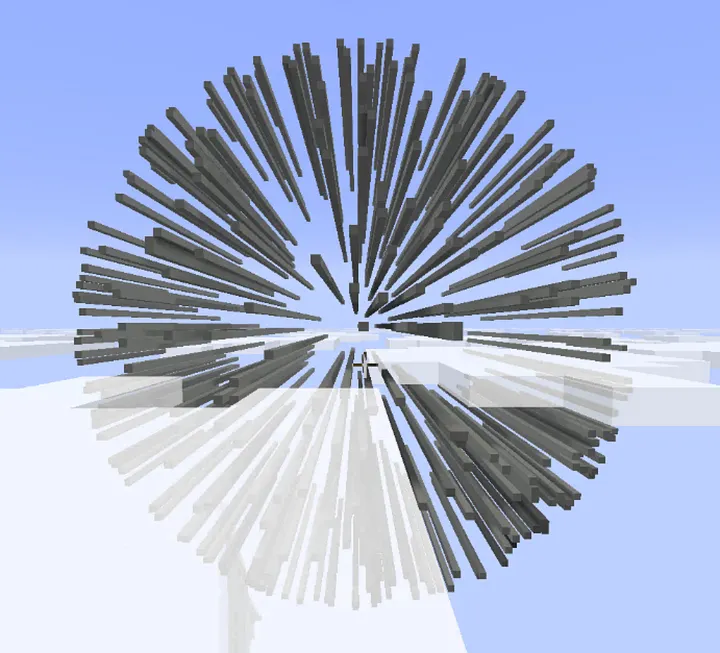
This technique creates a rather interesting effect during build out. However, for large spheres it is not as efficient as if I were to use cuboids to fill the center structure. Perhaps I will explore a more efficient method or create a hollow alternative like I did for the pyramid module.
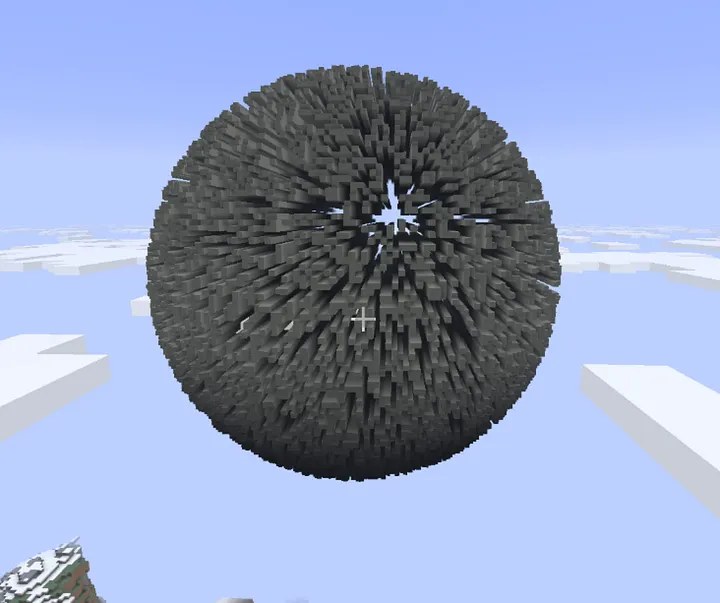
It looks really interesting as it starts to fill in. Kind of reminds me of the Death Star or even a Borg Cube.
Module Outputs
The module provides outputs to describe the generated sphere:
output "center"         { value = local.center }
output "diameter"       { value = var.diameter }
output "scanline_count" { value = length(keys(local.row_spans)) }
Additionally, directional outputs like top, bottom, north, south, east, and west give the extents of the sphere, useful for alignment and further construction.
Example Usage
A basic gold sphere centered near ground level:
module "sphere" {
  source   = "../../modules/sphere"
  material = "gold_block"
  diameter = 15

  start_position = {
    x = 453
    y = 70
    z = 237
  }
}
Or a large, disabled structure like a Death Star in the sky, ready to be enabled when needed:
module "death_star" {
  source    = "../../modules/sphere"
  material  = "light_gray_concrete"
  diameter  = 100
  start_position = {
    x = 453
    y = 200
    z = 237
  }
}
Conclusion
This sphere module is part of a growing library of Minecraft primitives I’m developing in Terraform. The goal is to make it easy to compose complex structures — whether manually or procedurally — using familiar infrastructure-as-code patterns. With each module, from cubes to cylinders to spheres, I’m inching closer to a versatile toolkit for creative Minecraft automation.
Perfect accuracy may be unattainable in a world of cubes, but clever math and thoughtful code can get us close enough to build some truly remarkable things.